Dashboard & KPIs
See sales, orders and profit margin for multiple stores on one screen, converted to JPY. No more opening each Seller Centre every morning.
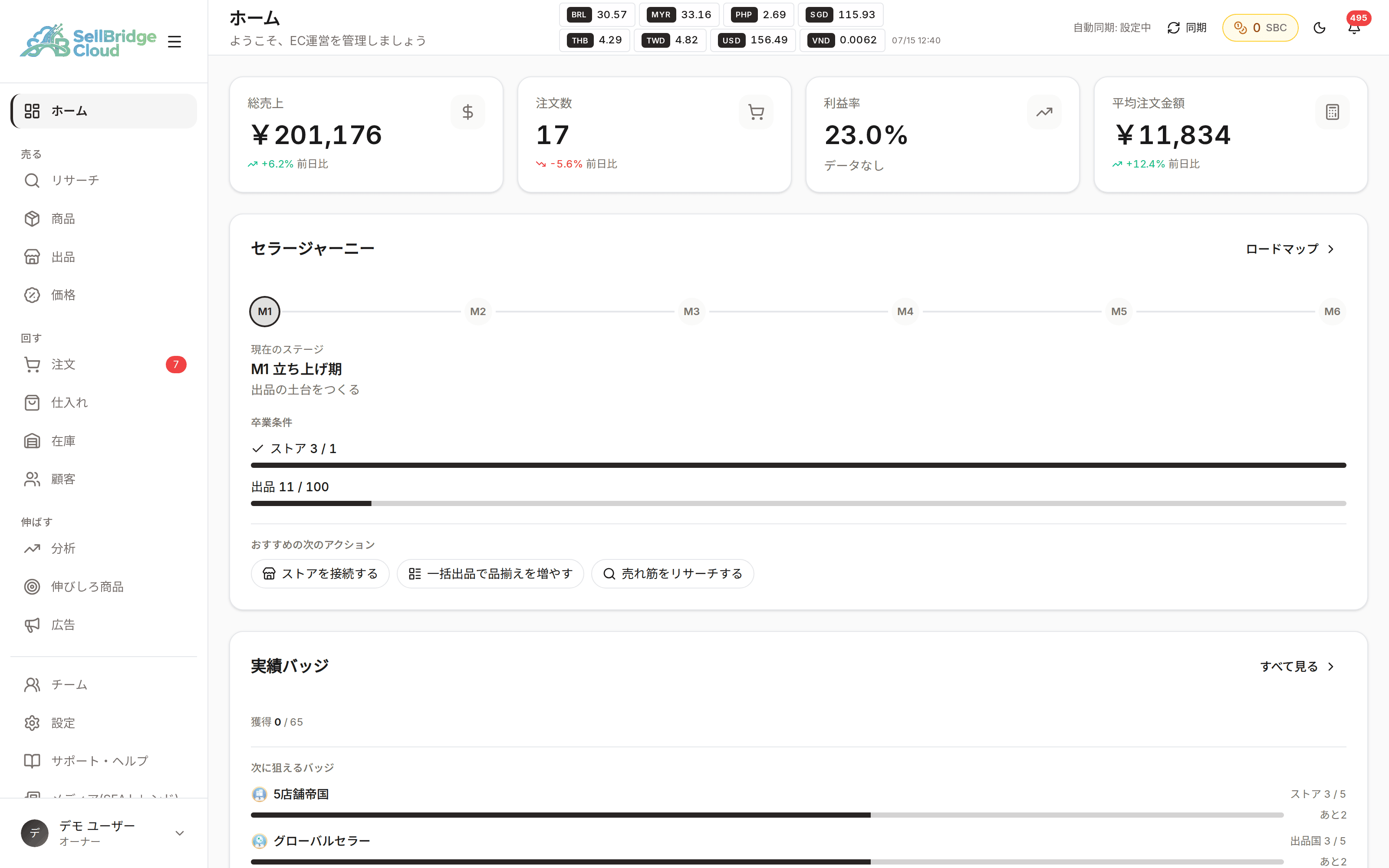
Different currencies, laid out side by side for comparison
Each store uses a different currency, but the dashboard shows figures converted to JPY. You no longer need to convert each market’s sales in your head, and can compare directly where you are growing and where you have stalled.
- Shows sales, order count, profit margin and average order value together
- Each market’s currency is converted to JPY
- Track sales trends on a chart
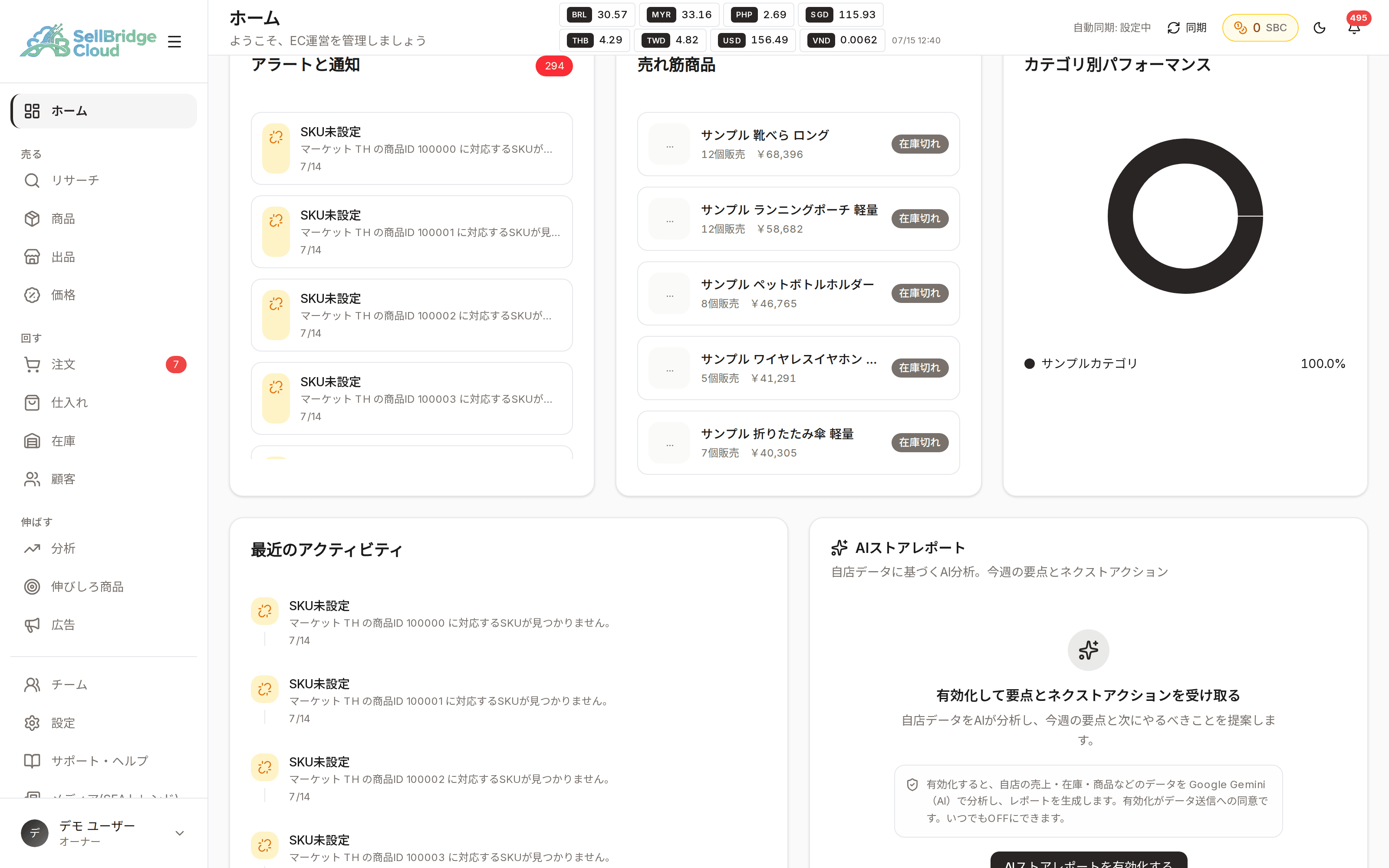
The screen tells you what to do next
Looking at numbers alone doesn’t lead to action. The dashboard lists alerts such as orders close to their shipping deadline and inventory issues. Jump straight from an item to the relevant screen, so you can go from checking to acting without interruption.
- Items that need attention are shown as alerts
- See the status of each connected store on cards
- Go from any item to its detail screen in one click
Availability by plan
Basic KPI cards such as sales, order count and profit margin are shown on every plan, including Free. The period you can view and how often data syncs automatically depend on the plan.
| Feature | Free | Basic | Standard | Premium |
|---|---|---|---|---|
| Dashboard | ○ | ○ | ○ | ○ |
| Data retention period | 30 days | 365 days | 730 days | Unlimited |
| Automatic order and product sync intervalFree plan: manual sync only | Manual only | Every 240 min | Every 120 min | Every 30 min |
| AI store report | ○ | ○ | ○ | ○ |
“−” means the feature is not available on that plan. See the pricing page for the latest prices and plan details.
Frequently asked questions
- Which currency are amounts shown in?
- Amounts on the dashboard are converted to JPY using the exchange rates we retrieve.
- How often is data updated?
- Paid plans sync automatically at an interval set for each plan. On the Free plan, data is updated with the manual sync button.
- How far back can I see past data?
- Each plan has its own data retention period. Higher plans let you look further back.
More features
Combine SellBridge features to connect your entire cross-border operation.
Make cross-border operations simpler.
Start on the Free plan — no credit card required.