Pricing & exchange rates
Enter the weight and purchase price to see selling prices for each market and the profit you keep, with fees, shipping and exchange rates applied.
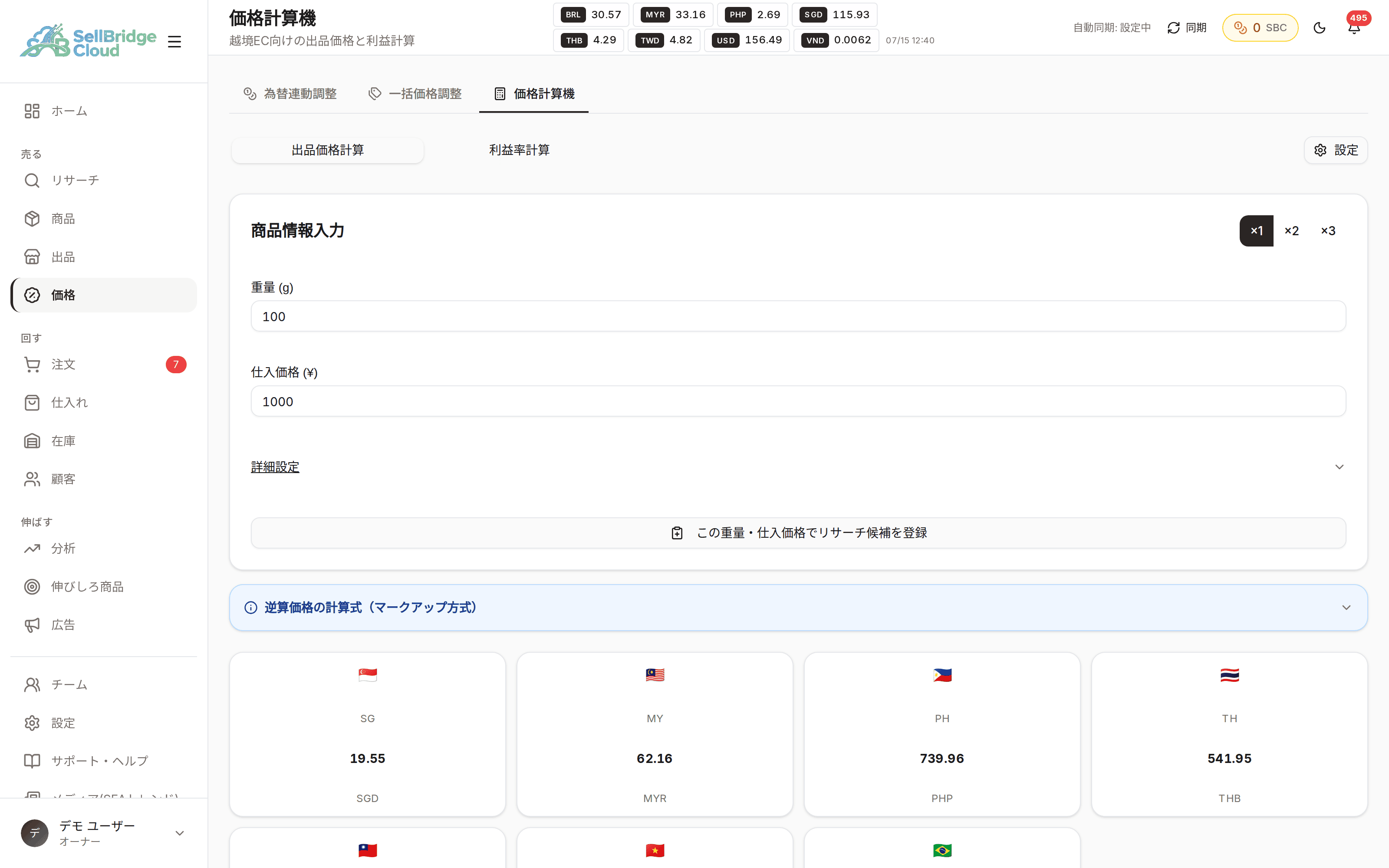
No more redoing the math for each market
Fees, shipping and exchange rates all change from market to market. SellBridge calculates them together and shows the selling price for every market at once. There is no need to open a spreadsheet and recalculate for each product.
- Calculates prices for each market from just weight and purchase price
- Amounts reflect fees, shipping and exchange rates
- Switch to see prices for bundled quantities too
Stay aware when exchange rates move
If you leave prices at the exchange rate from when you listed, your profit erodes without you noticing. SellBridge always shows the latest retrieved exchange rates at the top of the screen, and higher plans also support price adjustments linked to exchange rates.
- Retrieved exchange rates are always shown at the top of the screen
- Review prices for multiple products at once with bulk price adjustment
- Exchange-rate-linked adjustment is available from the Standard plan
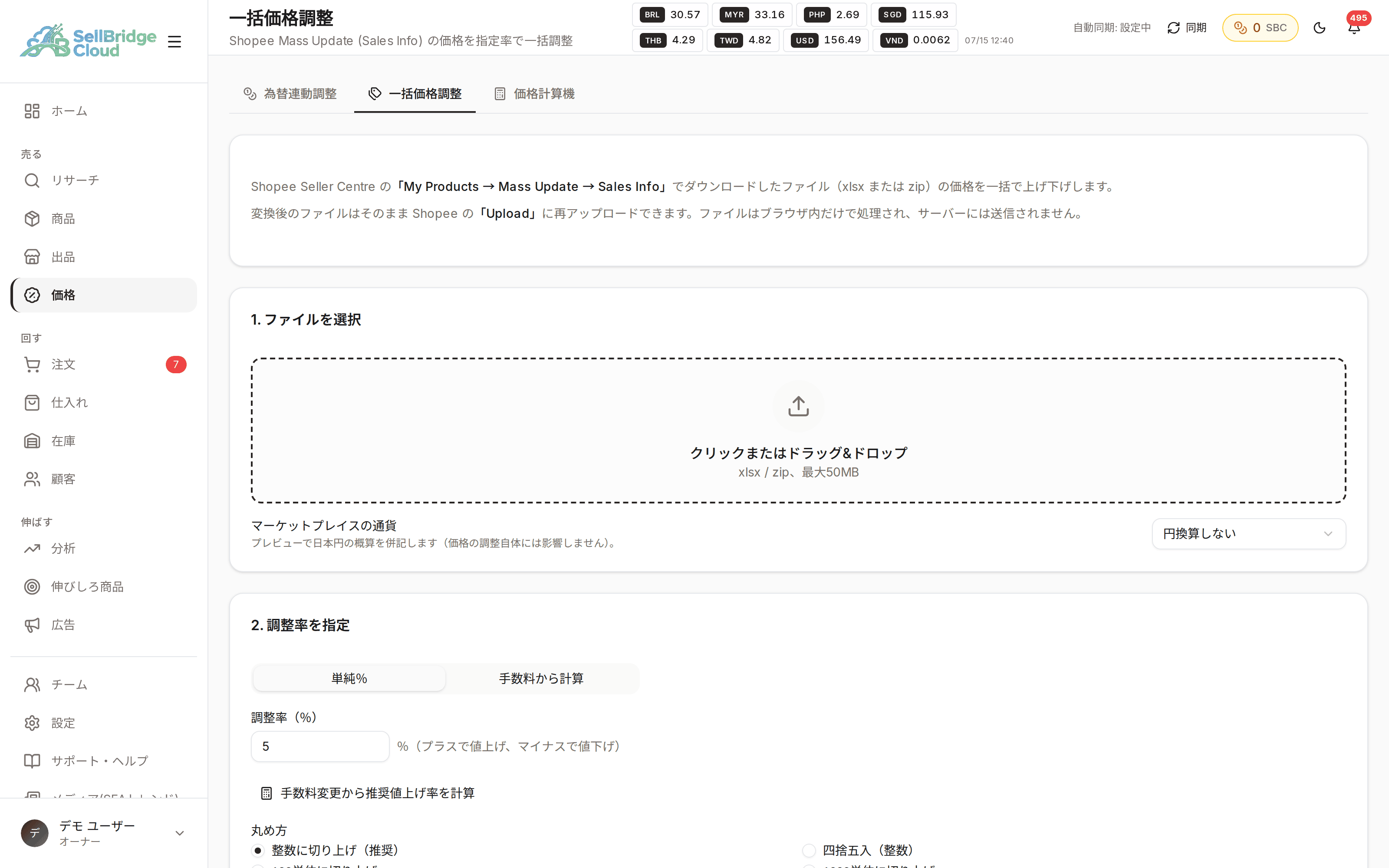
Availability by plan
The price calculator and bulk price adjustment are available on every plan, including Free. Only automatic exchange-rate-linked adjustment is a higher-plan feature.
| Feature | Free | Basic | Standard | Premium |
|---|---|---|---|---|
| Price calculator | ○ | ○ | ○ | ○ |
| Bulk price adjustment | ○ | ○ | ○ | ○ |
| Exchange-rate-linked price adjustment | − | − | ○ | ○ |
“−” means the feature is not available on that plan. See the pricing page for the latest prices and plan details.
Frequently asked questions
- Can I change the fee breakdown?
- You can adjust fee and shipping settings on screen. Set them to match the conditions of your own store.
- When are exchange rates updated?
- Exchange rates are retrieved and applied regularly. The current rates are shown at the top of the screen, so you can check the rates used in the calculation on the spot.
- Can I use the calculated price directly for listing?
- Use the calculated price as a reference and apply it from the listing wizard or bulk price adjustment.
More features
Combine SellBridge features to connect your entire cross-border operation.
Make cross-border operations simpler.
Start on the Free plan — no credit card required.