Orders, inventory & operations
Bring orders, inventory and purchasing for multiple stores together on one screen. Notice orders close to their shipping deadline and signs of stockouts without going looking for them.
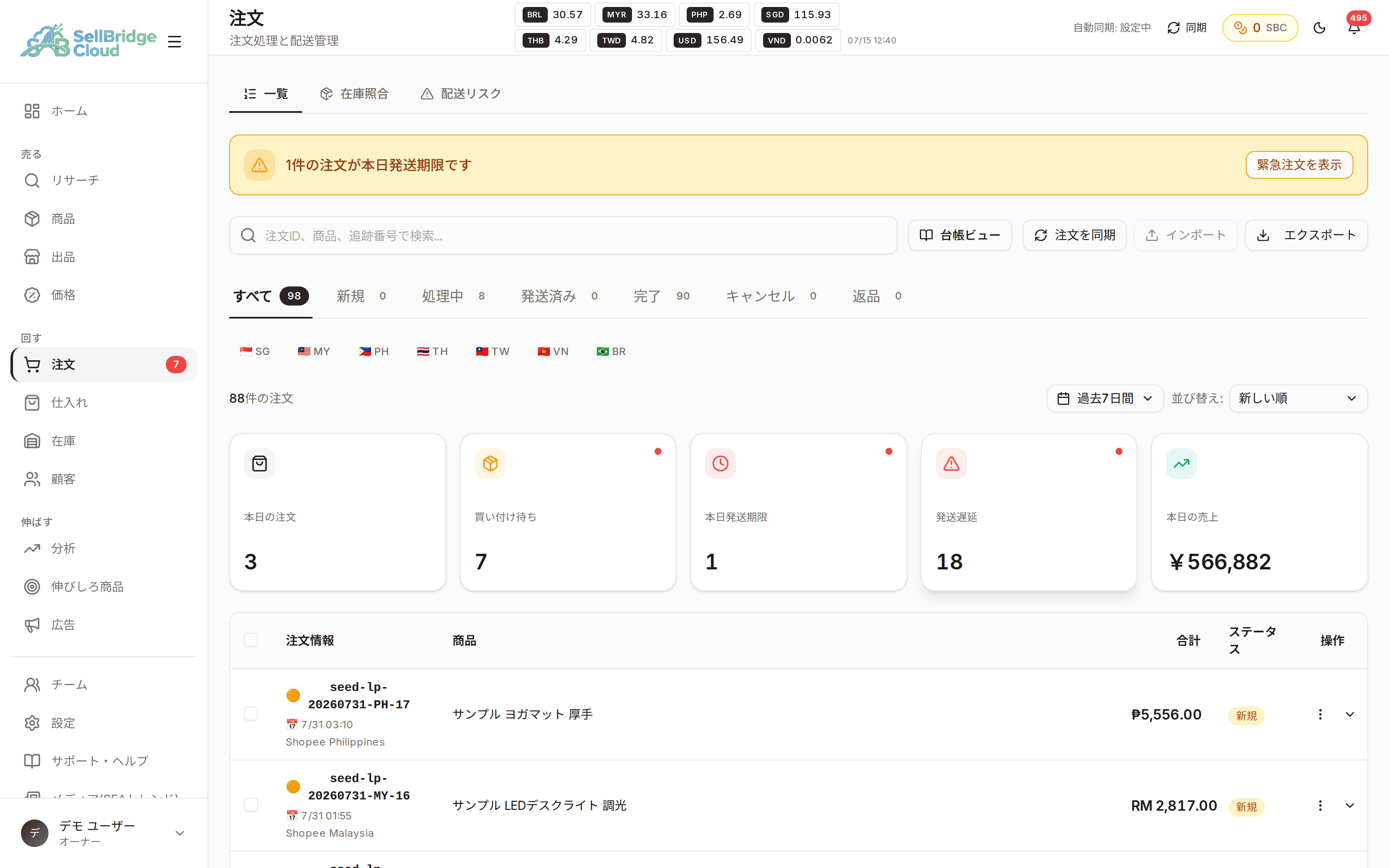
Your morning rounds of Seller Centre sites, done on one screen
Orders from all your stores come together in one list. Orders close to their shipping deadline or stuck in progress are summarized at the top of the screen, so you immediately know where to start.
- See orders from multiple stores in a single list
- Shipping deadlines and delays are summarized at the top of the page
- Statuses and cancellation reasons are shown in your language
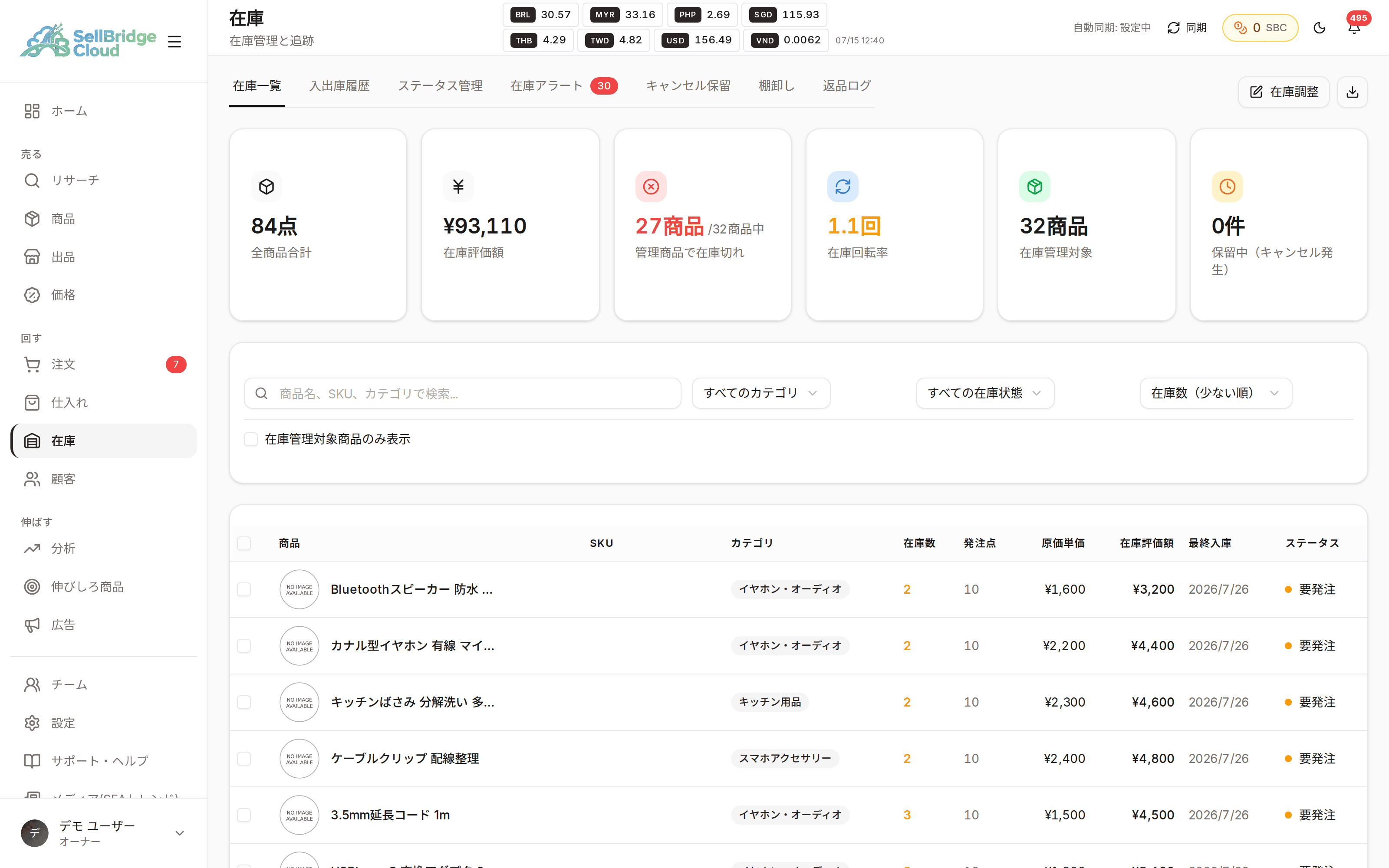
Prevent overselling from stockouts in advance
See your inventory status in a list on the inventory screen. With stock sync enabled, your listings follow your supplier’s inventory, reducing incidents where something sells but you can’t ship it.
- See inventory status in a list
- Stock sync is available from the Basic plan
- The number of products you can monitor depends on the plan
Orders and purchasing, connected in the same place
When you buy stock after receiving orders, you need to keep track of which orders you haven’t bought for yet. SellBridge lists the orders waiting to be purchased, so you no longer have to match orders and purchases across separate spreadsheets.
- See orders waiting to be purchased in a list
- Record orders to suppliers and their results
- Expense management is available from the Standard plan
Availability by plan
The order list is available on every plan. The Free plan has a monthly order limit, and inventory editing and purchasing management are paid-plan features.
| Feature | Free | Basic | Standard | Premium |
|---|---|---|---|---|
| Order list & order details | ○ | ○ | ○ | ○ |
| Orders you can import | 50/mo | 500/mo | 2,000/mo | Unlimited |
| Inventory editing & bulk adjustmentFree plan: view only | − | ○ | ○ | ○ |
| Stock sync | − | ○ | ○ | ○ |
| Products monitored by stock sync | − | 1,000 | 5,000 | 10,000 |
| Stock sync check intervalHow often the supplier’s inventory and price are rechecked. Separate from order and product sync | − | Every 24 hours | Every 12 hours | Every 12 hours |
| Purchasing management | − | ○ | ○ | ○ |
| Expense management | − | − | ○ | ○ |
“−” means the feature is not available on that plan. See the pricing page for the latest prices and plan details.
Frequently asked questions
- How often are orders imported?
- Paid plans sync automatically at an interval set for each plan. On the Free plan, orders are imported with the manual sync button.
- How do I notice orders close to their shipping deadline?
- The top of the order list shows the number of orders due to ship today and orders that are delayed. You can go straight to those orders from there.
- Which plan includes stock sync?
- Stock sync is available on the Basic plan and above. The number of products you can monitor depends on the plan.
More features
Combine SellBridge features to connect your entire cross-border operation.
Make cross-border operations simpler.
Start on the Free plan — no credit card required.