AI & bulk listing
Prepare your product information once in your language and list it to Shopee stores in each market from one screen. Translation and category selection are done by simply following the on-screen guidance.
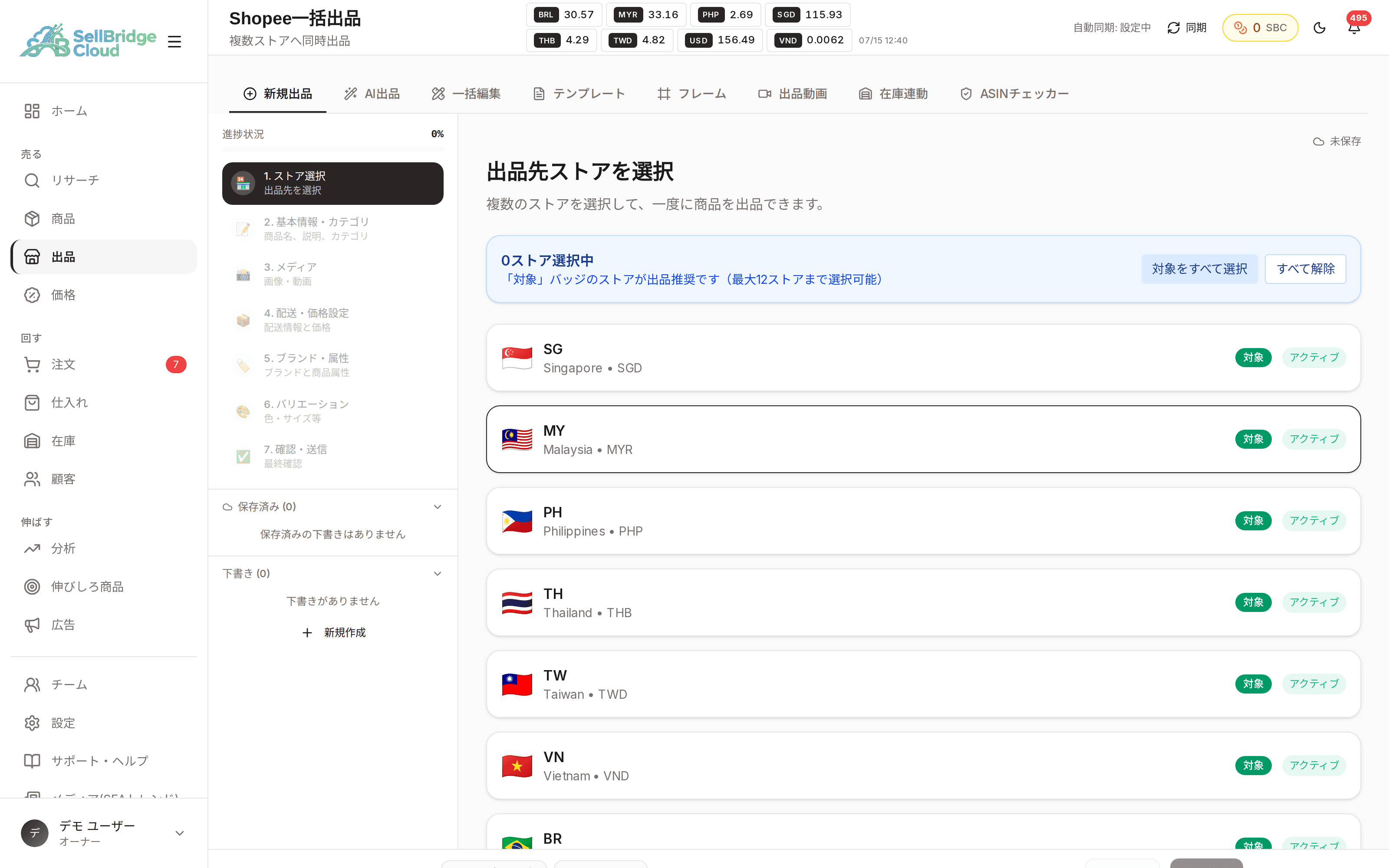
One straight path from choosing stores to submitting
Listing is split into 7 steps. The left side of the screen always shows what you are entering now and what is left, so even first-time users won’t get lost. Drafts are saved automatically if you stop halfway, so you can pick up where you left off the next day.
- A 7-step flow from store selection to review and submission, with progress always visible
- Your input is saved automatically as a draft so you can resume later
- Submit the same product information to multiple stores at once
No need to recreate the same product for each market
Product information you create once is applied to every store you select. SellBridge handles the differences in categories and attributes between markets, so you never have to enter the same content seven times.
- Apply one set of input to every selected store
- Categories and attributes are matched to each market’s format
- Save frequently used settings as templates and reuse them for your next listing
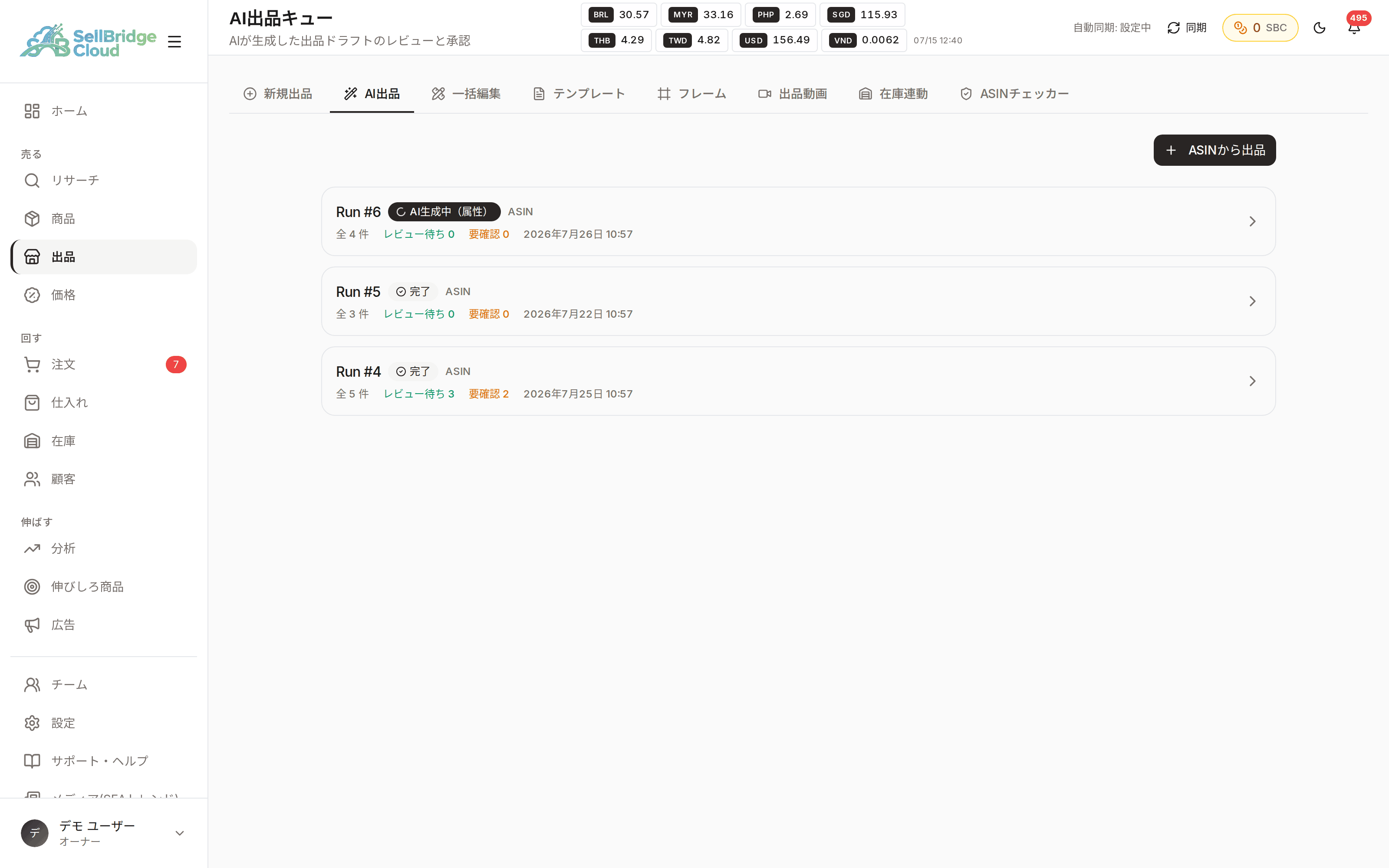
Track listings after they go live, on the same screen
Listing isn’t the end. You can see in one list which products are on sale in which store and which are still stuck as drafts. Listing, inventory and pricing are connected, so there is no need to switch to another tool.
- Check statuses such as on sale and draft from the product list
- Listed products connect directly to inventory and pricing management
- Use image frames to give your product images a consistent look
Availability by plan
You can try listing on the Free plan. If you list regularly or want to save time with templates and frames, consider a paid plan.
| Feature | Free | Basic | Standard | Premium |
|---|---|---|---|---|
| Listing wizard | ○ | ○ | ○ | ○ |
| New listings | 5/mo | Unlimited | Unlimited | Unlimited |
| AI listing | − | ○ | ○ | ○ |
| Listing templates | − | 10 | 50 | Unlimited |
| Listing frames | − | 10 | 50 | Unlimited |
| Bulk edit | − | − | ○ | ○ |
“−” means the feature is not available on that plan. See the pricing page for the latest prices and plan details.
Frequently asked questions
- Can I list only on Shopee?
- The listing wizard currently supports Shopee stores in each market. The stores you can connect depend on your plan, so please also check the pricing page.
- Do I need to translate product descriptions myself?
- AI translates the product names and descriptions you enter into each market’s language. You can review and edit the translations on screen before submitting.
- Is it okay to stop partway through a listing?
- Your input is saved as a draft. Open the draft list later to resume from the step where you stopped.
- Can I try listing on the Free plan?
- Yes, the listing wizard is available on the Free plan. There is a monthly limit on new listings; once you reach it, you can’t create new listings until the next month.
More features
Combine SellBridge features to connect your entire cross-border operation.
Make cross-border operations simpler.
Start on the Free plan — no credit card required.